NOTE! Mozilla began automatically switching users from 32-bit Firefox to 64-bit Firefox with the update to Firefox version 56.0.1 on October 9, 2017. Because my software is 32-bit, the decryption modules for Firefox could not be loaded; therefore, the username and password fields are shown as blank. If you still need to recover your Firefox 64-bit login details, please read the description below.
How to recover Firefox 64-bit passwords?
In order to recover your Firefox 64-bit passwords, you will need to provide a custom Firefox 32-bit Installation Path where it contains the main decryption modules.
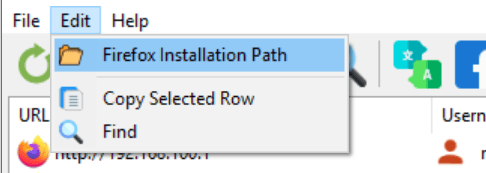
This method even works as long as you provide the location to nss3.dll from your older portable version of Firefox 32-bit even without installing it.
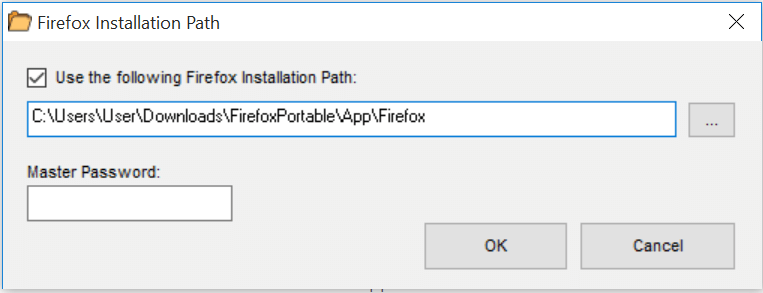
Just make sure to check "Use the following Firefox Installation Path" and locate the required decryption modules from the Firefox 32-bit folder.
The image below shows, as an example how doing that.
📋 Popular Password Guides
- Wi-Fi How to Find Any Saved Wi-Fi Password
- Product Keys Backup Keys Before Reinstalling Windows
- Security Detect Unauthorized Network Access
- Chrome Recover Saved Chrome Passwords
- Windows Windows Credential Manager Explained